Miniature printables, printies for dollhouses, room boxes, and dioramas
There are printies on almost every page in this wiki (or at least a place for them) so that if you are looking e.g. for cat printies go to cats.
Print groups
Mini Treasures has its own print group in Flickr
Vintage Image Craft - public Facebook page
Print blogs
Clever Models - also see the tips and tricks page
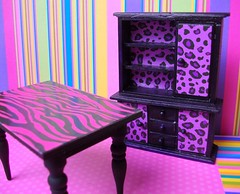
Printies - miniature printables to make dollhouse furniture, decor, all from cardboard by Barbara Del Duco
Printie tips
Hints about how to fold cut and paste printies.
Image Transfers - from the Graphics Fairy
Folding tiny pieces - from Karin Corbin
Printables, the Ultimate Guide - from Small House Models
Tutorial on creating dollhouse printables with Photoshop.
Texture
- Use stone or brick printies? Wad the print up repeatedly and smooth it out, If some of the creases are too harsh, press with an iron (no steam) on the back side. The result, a paper printie with a stone texture!
- Texturize a rock wall printie (on cardstock) by running around all the grouted areas with a fine embossing tool. Turn it to the back side and use a larger embosser to press on the rock areas, easy to see because of the grout lines. This is adaptable to many printed items that you would like to stand out a little. e.g take a photo of a cardinal, downsize it in the computer, print and cut it out, then emboss the back to give it a little fullness. Glued to a birdhouse he looks pretty good.
General tips
- For best quality prints and to prevent ink running when wet, use the same manufacturer's products - paper, ink, and printer.
- Doing a project and want printies? Use Google to search for images and then save the images. For rugs and carpets to decorate a cottage, Google "English Cottage rugs", then "vintage carpets", then "vintage hooked rugs", etc. until appropriate images appear, then just click and save them in a folder. When you need them, you just cut and paste the images to the right size and print them out on the medium you need, ie printable cloth for the carpets and quilts, photo paper for mini plates or pictures for the walls. Spray both the fabric and paper with a matte UV resistant spray to seal them.
-
Seal printies to prevent colours bleeding - use PayLess Shoe Store"s Rain And Stain Guard. It is used to waterproof shoes, purses, almost anything. The fabric remains soft after it is sprayed and it is now waterproof. or make your own Bubblejet fixative
-
White edges ruining the effect? Use the side of a pencil or colour pencil to shade the whiteness.
- You can also make your own printies, using clip art copy-and-pasted in any pattern into a printer sheet sized page in any program that supports graphics.
- Tips to Avoid Fuzzy Printies
- Consider what paper to use - for example: would a textured cardstock work better than a smooth paper for your purpose? Or printable canvas/ magnetic paper, presentation paper, etc.?
- Change the properties of the paper after printing to provide more texture - emboss, using an old mouse pad and embossing tool; also if you can dampen without ruining the ink, then impress from the back with a texture tool (this can work for rubber stamps). Use gesso or acrylic medium for various effects. "Roughing up" with a pin while still wet gives a furry texture to cardstock; steel wool can work in some cases, or an eraser, etc.) Try aging or distressing techniques.
- If appropriate for the item, mount printies on a thicker backing (like foam core or recycled egg cartons, which can also both be embossed)
- Use clear prints, as grainy prints never work well.
- Seal printies if you are not printing on colour laser ... so they last.
- Colour the edges of cut paper - white edges give away that it is a printie; use sharpies or gel pens for this purpose. Use the edge, instead of the point, of your marking pen or crayon. Hold the pen so that the point faces the front of your printie. That was if the pen slips (and trust me it will) the slip mark goes down the backside instead of onto the face of your item.
- Cut and glue carefully, as little white tabs showing is not very convincing :)
- Make a Brick wall from a Single Image - tut by Wanna in El Paso
- Looking for more modern newspapers to scatter around the house? Go to Google images, type in the name of your local paper (or city paper) and front page. So the New York Times Front Page gives you tons of choices!
- Want a larger print? try engineering prints at Staples
- Presentation paper is sold at Staples and it is 32 lb, one-sided, and comes in matte or gloss while brochure paper is 40 lb, comes in matte or gloss and is double-sided. Presentation paper is less expensive because the finish is only on one side? Colours are very vivid
- When sizing images, use the greyscale printing option, since that uses a lot less ink. Copy the page to a CD and head to Staples and have them do the printing. It usually costs less than a dollar and The type of paper can be specified.
Reducing Real Life Artwork to 1/12
- If you have access to a printer or a copier with reduction capabilities - first reduce your selection by 25%, then take those copies and reduce them by 33 %. You have now reduced them to exactly 1/12th scale. If you do it via a printer/scanner, then you can also save your reduced copies to JPG or PDF format.
- Reduce 1/12th scale printies to 25% for http://www.mariasminis.com/p/free-printables.html half-scale printies. Vey confusing but if you think of a square - half the length, half the width and you get quarters = 25%.
- when doing a search of images on Google, AOL, etc, you can choose from the left-hand side column of the screen, PICTURE SIZE (of image desired)---choose medium or large (following Bob's comment). If you hover over the image it sometimes tells you the file type (jpg, bitmap/bmp, gif) and also the pixels in the image. Bigger is usually better, but if it's REALLY BIG it's a pain to download unless you have a super fast processor and takes a long time to save to your computer, much less open the file and manipulate the image. On your printer, for the best copy, go to the COPY MENU button, select QUALITY of picture button and select for BEST or MAXIMUM RESOLUTION. The copy image is as good as the original and so much faster than having to manipulate the image on the computer. HP Laser paper *45lb* is a good choice: thicker than normal so it takes up ink better especially if you want high-quality images (most of these images are hi quality because it sprays more ink dots per inch than a low res pic). Colourfast doesn't need a fixative, but don't try to spray water over it! The thickness of the paper also makes it more forgiving if you are making wallpaper and gluing onto a wall.
- If you want a gloss on your images, use AVERY SINGLE SIDE LAMINATING PAPER. I love this stuff. No more applying ModPodge, other gloss stuff. In Wal-mart's the kitchen section you can get rolls of clear self-adhesive vinyl which is similar, but cheaper. This is great for FLOORING. It gives a gloss to the paper without any effort and if you're painting your walls and happen to get paint on this stuff, it just scrapes off. Have you noticed on images if you apply a scorer, stylus whatever, the ink comes off? If you have the laminated paper on the image, you can do whatever and no ink peel off. It protects the ink on the image.
- Use the 2010 Microsoft Office Word to resize your images. A pricey program, but definitely worthwhile.
On the image desired, right click for a menu of options. You can crop or resize the image. You should click the box that resizes proportionately, then in the box adjust either the HEIGHT or WIDTH of the picture so it fits to scale. If you try to put exact dimensions of the image for BOTH height & width, the pic doesn't look right, so forget that. The best thing about this program is the PRESET buttons for contrast, brightness, and sharpness of the pic. These options are under FORMAT picture. When you
click on the contrast button, it pulls up about 10 options of presets (-20%, -40%) etc along with a thumb size image of what the preset would look like, you pick what you want and go to the next thing to alter---sharpness etc, and voila you're done. Takes all the guesswork and error out of manipulating these buttons. It really helps in "improving" or enhancing an average quality image saved or scanned.
Printing on fabric - with an inkjet printer
Print on Fabric - from Cynthia Howe
Transfer a B/W picture - onto almost any surface using paint thinner, from Mademoiselle Chaos
Transferring Images to Flat Polymer Clay - from Jennerhea
Printing to Fabric on Freezer Paper
- Cut freezer paper to the size of regular printer paper.
- Place shiny side of freezer paper down on lightweight cotton or any other lightweight fabric.
- Using a moderately hot iron, press freezer paper to fabric (shiny side facing fabric).
- Place an X on a plain sheet of regular printer paper and place it into your printer. Note which way your X is feeding through the printer and which side the printer prints. The X is the same side that the fabric will be printed to on the freezer paper.
- If you use freezer paper as a backing material to run through your printer, use a piece of tape clear across the top of the cloth/paper. Fold it over and make sure you have a nice clean fold with no wrinkles. This will give you a nice clean feed and keep the printer from pulling the two pieces apart or gather fibers and causing a jamb.
- Insert your freezer paper with the attached fabric and print your design.
- Spray the fabric with a matte acrylic sealer, allow to dry and peel fabric from freezer paper.
- Prevent water damage by spraying the printed fabric with an aerosol spray product called Rain and Stain Guard. Payless shoe stores make it and sell it in their stores. Use a light spray and do not "soak" the fabric in the spray. The fabric remains very soft and the print will not run when sprayed with water to drape a finished gown.
- Tutorial for printing on fabric - from the Shopping Sherpa
Printables for sale
Printing supplies for Fabric - Dragonfly International
Print collections
20 Great Resources to Download Free Patterns
500+ Modern Miniature Brand Groceries - from Miguel’s Miniatures
Background Textures
Barbie Project Printables - Wee Tyme's Printable Projects
Belgium School Books and Supplies - Nono Mini Nostalgie
Brands of the World - labels
Bundle of Letters tied with a Ribbon - Buttercup Miniatures
Butterflies - Easy DIY Miniatures
Clipart and Printables - Pinterest album by Crafting Christy
Collage Sheets - from Scavenger Art
Crafts u Print - dollhouse Birthday card
Disney and Other Cartoon Characters - from Family Shopping Bag
Dollhouses - red patterned boxes, shoe boxes ladies and men's
Dollhouse and interior scenes - from Ammey's Art Attic
Dollhouse Printables - Pinterest board by Anna Pruitt
Dollhouse Miniature Printables - courtesy of Miniaturas Magazine, in CDHM files
Dollhouse Miniature Printables - Free printable 1" scale projects
Elaine's Printables - wide selection of 1:12 printies ready to print
Free Printables - Lisa Volrath from "Go Make Something"
Free online Printables - from Tip Junkie
Graph paper - choose size and colour of squares.
Graphics Fairy - free clip art, a wonderful collection of vintage graphics, just enter a subject in the search bar -try Fathers Day!
Harry Potter Potion Label Printables - from Over the Big Moon
Jennifer's Printables - from My Miniature Market, scroll down to bottom of page
Labels - from the Digital Bakery
Marias Minis- wrapping paper, book covers, popcorn bag
Mini 1 to 12 and links list- Danish site
Miniature Printies - Pinterest board by Donna Post
My Small Obsession Printie Collection
Murals/backdrops -from Backdrops Fantastic
Paper Dolls - from Agence Eureka
Paper Models - Pinterest board by Dede Turner
Papermau - free original and exclusive paper models, churches, trucks, castles
Printies in Paint - Yahoo group
Printables - by Stephbzbee
Printables - from Hobbies Girl on Punterest
Printables on Pinterest - Danielle LeBrun, HP, fae, labels, etc.
Royalty Free Stock Photos
Rwetzell Photobucket - wallpapers, books
Small Stuff Print Minis - formerly Jim's Printables
Sudene - French site
Textures - from Public Domain
Textures Library
Treefeathers
True2Scale - boxes, seed labels, flower pots, plates, books, etc.
Vintage Printable Labels - from Freebies and downloads
Books/ Magazines
BB Miniatures - by Barbara Brear, South Africa
Fonts for posters - from DaFont - making up a newspaper, advertising poster or sign for your store?
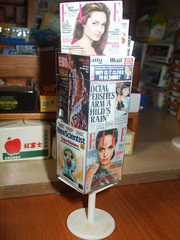
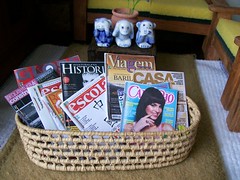
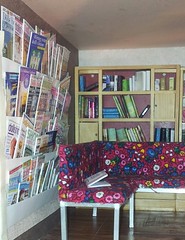
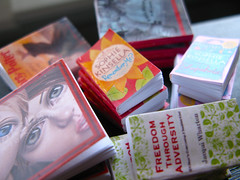
Miniature Bookshelf and Magazines- from Christine Verstraete
Newspapers - current front pages. If you run your cursor over the city, the current front page newspaper of that city will appear. If you "click" on that city, a savable version of that newspaper will come up, and you can right click and save it to your computer. Then you can resize it to whatever mini size you want and print it out. So you can print out your own local newspaper in miniature or any other newspaper in the country! Foreign newspapers are also available. The site changes every day with the publication of that day's papers, but there are some wonderful archived editions as well.
Carpets
CG Textures - carpets and other textures
Decorator Plates
Blue and White Plates - Geocities site, which is closing -Taminimame
Printable Plate Patterns - by Mary Jasper from the Smallstuff gallery
Holidays
Canada Day
Cut and Paste - Canada Page
Canada Day - from Activity Village
Christmas
Posters and arts
Allposters
Art.com
Barewalls
Cinema - film stars
Flora and Fauna - botanical prints from My Modern met
MET Mueeum images - Van Gogh, Monet.....
Photo 505 - superimpose your face on a work of art!
Posters - Pinterest board by Gary B Sokol
Labels
The old labels (pre 1950) group at Flickr
The Label Man
Pinterest Albums
Wallpapers
A collection of wallpapers, most of them with stripes by Andrew Henwood
Deco nappe
Minipitou
Wallpaper wholesaler
This and that
Decals - how t apply to plates, from Carolyn's little Kitchens
Finnish prints
Flags of the world
Flags of the World - from Mrprintables. Also has holiday, posters and kid things
Marble Arts - various marble types
Scrapbook Prints - free downloadable pages
Print a Sewing Pattern on Tissue Paper - for your sewing Room
Printable Miniatures for Dollhouses, Model Scenes or Dioramas - from The Spruce
Textures
War flags - through History
Paper Products for Sale
Clever Models - textured paper, cardstock models
Decal Paper - make sure that the stuff is clear. If it's white, your decal will to print out on a white background which is not what you want. BTW, spray with Krylon (flat) and not the stuff they want to sell you.
The Frantic Stamper
Paperminis - Ann Vanture has printies for sale as well as some freebies for members to download.
Pixel Market on Etsy
Visitors since 14th Apr 2009:  Share
Share




Comments (0)
You don't have permission to comment on this page.